
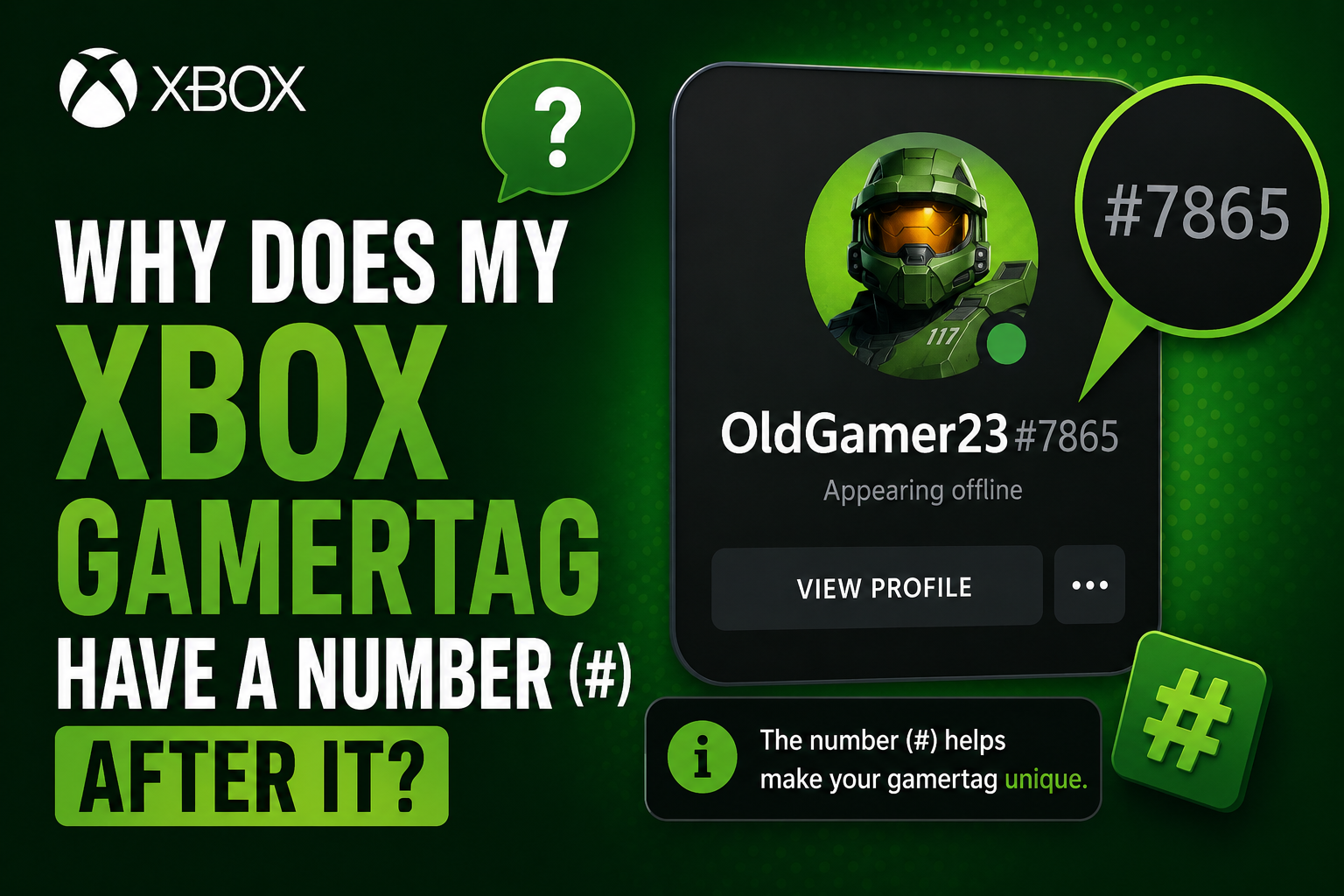
You just picked the perfect Xbox gamertag. Short, clean, exactly what you wanted. Then you hit confirm — and boom, there it is. “ShadowBlade#4821.” What is that? Why is there a random number glued to your name? And more importantly, can you get rid of it?
You’re not alone in asking this. It confuses thousands of new Xbox players every year. The good news is — there’s a simple reason behind it, and there are ways to fix it.
The Short Answer
That number after the # symbol is called a suffix. Xbox adds it automatically when the gamertag you chose is already being used by someone else. It’s basically Xbox’s way of letting two (or more) players share the same display name without causing any confusion in the system.
Think of it like Discord. On Discord, you could be “Alex#0042” while your friend is also “Alex#8813.” Same name, different person. Xbox works the same way now.
When Did Xbox Start Doing This?
This wasn’t always how Xbox worked. Back in the early days, every gamertag on Xbox Live had to be completely unique — no two players could share the same name. Period. If “ShadowBlade” was taken, you simply couldn’t have it. You’d have to get creative with spelling, add numbers yourself, or move on.
That system worked fine when Xbox had millions of players. But as the platform grew to hundreds of millions of accounts globally, almost every short, clean, common name got taken. New players were stuck with bizarre combinations just to find something available.
In November 2019, Microsoft rolled out what they called the Modern Gamertag system. The update did two big things:
- It allowed players to share the same base name by adding an auto-assigned suffix
- It expanded gamertag support to include characters from over 200 languages worldwide — so players could finally use names in Arabic, Korean, Japanese, Hindi, and many other scripts
The suffix is displayed in a smaller font next to your name so it doesn’t overpower your actual gamertag. But make no mistake — it shows up in games, leaderboards, friend requests, and the Xbox UI.
Why Do Some Gamertags Have No Number?
Here’s the part that really gets people: you might notice some players have no suffix at all. No hashtag, no numbers — just a clean name. How?
Simple. They were first.
If you had an Xbox account before November 2019 and kept your original gamertag without changing it, you’re the “original owner” of that name in Xbox’s system. Microsoft grandfathered those accounts in — existing gamertags carried over with no suffix attached.
Current Xbox players were allowed to keep their existing gamertags without any further action required, and existing gamertags were not given a hash symbol or added numbers. thecurrent
So if someone has “ShadowBlade” with no number, it means they claimed that name years ago and never changed it. The suffix system only applies to new accounts and anyone who changed their gamertag after the 2019 update.
Can You Remove the Number From Your Gamertag?
This is the question everyone wants answered. The honest answer: not directly — but yes, you can get rid of it by choosing a name that nobody else has claimed yet.
The number next to your gamertag indicates that someone else picked that gamertag before you. In order to not have a number, you need to pick a gamertag that no one else is using. Subreddit Signals
You cannot:
- Remove the suffix while keeping the same name
- Choose your own suffix number
- Request a specific number from Xbox Support
The suffix is auto-assigned by Xbox — players cannot select their own suffix. thecurrent
What you can do is change your gamertag to something unique enough that no one else has it. Once you land on a name that’s genuinely one-of-a-kind in Xbox’s system, you’ll get a clean tag with no number attached.
How to Get a Gamertag Without a Number
Here’s a practical approach to finding a clean, suffix-free name:
1. Try less common word combinations Names like “Wolf,” “Ghost,” or “Nova” are almost certainly taken. But “FrostVeilArc” or “NebulaDriftX” — something with two or three combined words — has a much better chance of being available without a suffix.
2. Add a personal touch Your initials, a short word from your native language, or a reference only you’d think of. These tend to be naturally unique without looking random.
3. Avoid trailing numbers in your chosen name Ironically, names that end in numbers (like “Blaze99”) are often already taken because many players use the same idea. This can push you into getting a suffix on top of your own numbers, which looks messy.
4. Check availability in the Xbox app first Before committing, type your desired name into the gamertag editor and hit “Check availability.” The app will instantly tell you if it’s free. If it comes back clean with no suffix preview, you’re good to go.
5. Use unique spellings intentionally A deliberate alternate spelling — not a typo, but a stylistic choice — can open up names that feel familiar but are technically unclaimed. Just make sure it still looks intentional.
Does the Number Affect Your Account in Any Way?
No — and this is worth saying clearly because a lot of players worry about it.
The suffix does not affect your:
- Achievements or gamerscore
- Friends list
- Game history or stats
- Xbox Live or Game Pass access
- Any subscription or account feature
It’s purely a display identifier. Your account works exactly the same whether your tag is “ShadowBlade” or “ShadowBlade#4821.”
The only real-world difference is how your name looks on leaderboards, in multiplayer lobbies, and when other players search for you. For most casual players, the suffix is a minor cosmetic thing. For streamers, competitive players, or anyone building an online presence, it’s worth the effort to find a clean name.
How Much Does It Cost to Change Your Gamertag?
If you’ve never changed your gamertag before, your first change is completely free. Microsoft gives every account one complimentary change so new players can set a proper name without being stuck with the auto-generated one assigned at signup.
After that, each gamertag change costs $9.99 USD (prices may vary slightly by region).
So if you’re sitting with a name you don’t love and a suffix you didn’t ask for, now is the time to make the change — especially while it’s still free.
Want the step-by-step walkthrough? Check out our full guide on how to change your Xbox gamertag on the Xbox app — it takes less than two minutes.
Quick Recap
Here’s everything in one place:
- The # number after your gamertag is called a suffix
- Xbox adds it automatically when your chosen name is already taken
- It was introduced in November 2019 as part of the Modern Gamertag system
- Players from before 2019 who never changed their gamertag have no suffix
- You cannot remove it while keeping the same name
- To get a clean tag, pick a name nobody else has claimed
- Your first gamertag change is free — after that it costs $9.99
The suffix isn’t a glitch, a punishment, or a sign that something went wrong. It’s just Xbox making room for everyone on a platform with hundreds of millions of players. But if a clean name matters to you, you now know exactly how to get one.
Still looking for the right name? Browse our list of 750+ Xbox gamertag ideas — funny, cool, and unique to find something that actually fits your style.